
Ortho Photo Ortho Photo
  • About Us
  • Benefits
  • Support
  • News
  • Contact Us
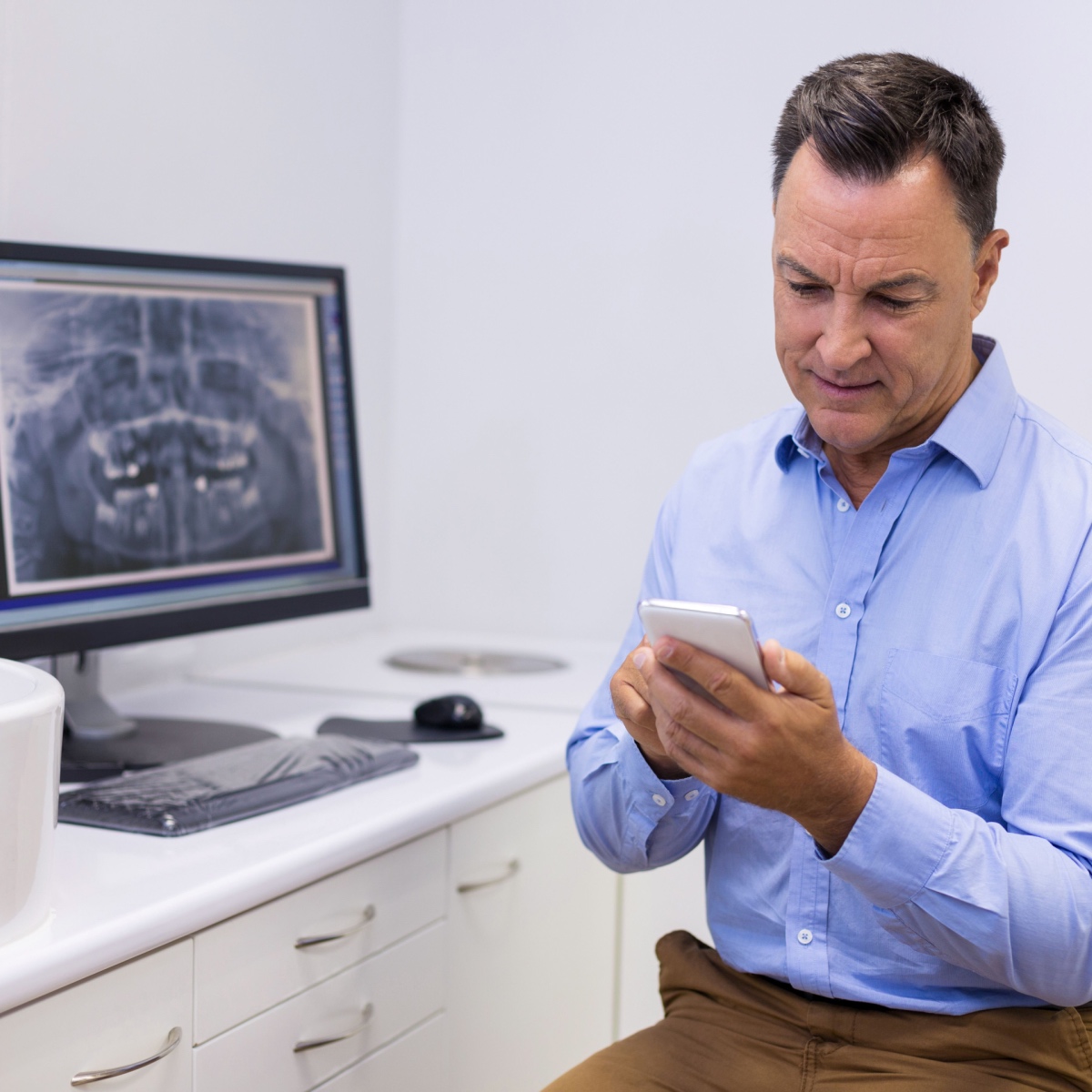
A dentist using the OrthoPhoto app

Leveraging Before-and-After Ortho Photos for Effective Case Presentations and Consultations

OrthoPhoto App Ortho News September 16, 2026
  • ortho photo
  • mobile application
  • dental apps
  • braces progress
  • dental practice

In orthodontics, visuals speak louder than words. While treatment plans, scans, and measurements provide valuable data, nothing communicates progress quite like before-and-after orthodontic images. Well-documented dental braces photos allow patients to clearly see the transformation happening in their smile, making consultations more persuasive and treatment discussions easier to understand.

However, the effectiveness of these presentations depends on consistent photography and organized dental recordkeeping. With tools like OrthoPhoto—the very first patient management app built specifically for orthodontic imaging—clinicians can save time, capture better ortho photos, and present treatment progress with clarity and confidence.

Why Before-and-After Ortho Photos Matter

Orthodontic treatment often takes months or years, and changes occur gradually. Patients may not notice small improvements week to week, which can make it difficult for them to appreciate their progress. Before-and-after dental braces photos provide a powerful visual comparison that clearly demonstrates how far a patient has come.

When orthodontists use consistent imaging techniques, these comparisons become much more meaningful. Clear documentation allows clinicians to highlight improvements in alignment, spacing, and bite correction while reinforcing the value of treatment.

This is where a dedicated dental braces camera becomes essential. By ensuring consistent photo capture across visits, orthodontists can build a reliable visual timeline for each patient.

Building Stronger Case Presentations

Case presentations are one of the most important moments in an orthodontic consultation. Patients want to understand their condition, the proposed treatment, and the expected outcome. Visual documentation makes these conversations easier and more engaging.

Before-and-after dental braces photos help orthodontists demonstrate the benefits of treatment in a way that patients immediately understand.

Key advantages include:

  • Showing visible progress between visits

  • Helping patients understand treatment goals

  • Demonstrating the effectiveness of orthodontic care

  • Increasing patient confidence in treatment recommendations

  • Encouraging acceptance of proposed treatment plans

When these images are organized through proper dental recordkeeping, orthodontists can instantly retrieve and present them during consultations.

The Role of Organized Dental Recordkeeping

Effective case presentations rely on more than just good photos—they require well-structured dental recordkeeping. If images are scattered across different devices or folders, valuable time can be lost during consultations searching for the right files.

A centralized dental recordkeeping app ensures that every image is properly organized and easy to retrieve. OrthoPhoto simplifies this process by automatically storing dental braces photos in structured templates within each patient’s record.

This automated dental recordkeeping system eliminates manual sorting and ensures that before-and-after comparisons are always available when needed.

With organized records, orthodontists can move smoothly from diagnosis to explanation, creating a more professional and efficient consultation experience.

Enhancing Patient Understanding and Engagement

Patients are far more likely to trust and accept treatment recommendations when they can see real results. Before-and-after dental braces photos provide clear visual proof that orthodontic care produces meaningful improvements.

When orthodontists use a consistent dental braces camera to capture images throughout treatment, they create a reliable visual timeline that patients can easily follow.

This approach improves consultations by:

  • Making treatment progress easy to visualize

  • Helping patients understand complex orthodontic concepts

  • Reinforcing the benefits of treatment

  • Increasing patient motivation and compliance

Visual storytelling is a powerful tool in patient communication, and strong dental recordkeeping ensures those stories are easy to present.

How OrthoPhoto Simplifies Before-and-After Documentation

OrthoPhoto was designed specifically to help orthodontic practices capture, organize, and present images more efficiently. As the first dental recordkeeping app built for orthodontic photography, it combines a guided dental braces camera with automated record management.

Instead of manually sorting files or transferring images from multiple devices, OrthoPhoto automatically organizes dental braces photos into patient timelines. This allows orthodontists to quickly display before-and-after comparisons during consultations.

Key advantages include:

  • Guided photo capture with a dedicated dental braces camera

  • Automated organization of dental braces photos

  • Secure storage within a HIPAA-compliant dental recordkeeping app

  • Instant access to images during case presentations

  • Reduced administrative workload for staff

With these tools in place, orthodontists can focus on communicating results rather than managing files.

Embrace the Future with OrthoPhoto

Before-and-after orthodontic photography is one of the most effective tools for demonstrating treatment progress and building patient confidence. When dental braces photos are captured consistently and supported by strong dental recordkeeping, consultations become clearer, more engaging, and more persuasive.

OrthoPhoto makes this process simple by combining a guided dental braces camera with automated dental recordkeeping in one powerful platform. By helping orthodontists save time and capture better ortho photos, OrthoPhoto ensures that every case presentation tells a clear and compelling story of transformation.
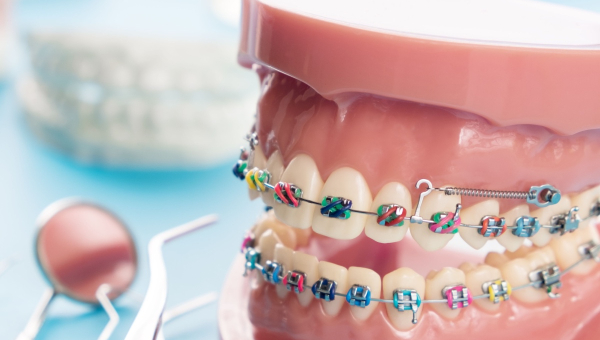
A mold of teeth with braces

The Impact of Consistent Orthodontic Photography on Treatment Predictability and Outcomes

OrthoPhoto App Ortho News September 02, 2026
  • mobile application
  • dental apps
  • braces progress
  • dental practice
  • braces camera

Orthodontic treatment is built on careful planning, precise adjustments, and continuous evaluation. Every stage of care—from diagnosis to final alignment—relies on accurate visual documentation. When orthodontists maintain consistent imaging and reliable dental recordkeeping, they gain clearer insight into treatment progress and can make more confident clinical decisions.

Consistent orthodontic photography improves predictability and ultimately leads to better patient outcomes. With tools like OrthoPhoto, the very first patient management app designed specifically for orthodontic photography, practices can save time, capture better ortho photos, and strengthen their dental recordkeeping processes.

Why Consistency Matters in Orthodontic Imaging

Orthodontic treatment unfolds gradually over months or even years. To track progress accurately, clinicians rely heavily on visual comparisons between visits. High-quality dental braces photos allow orthodontists to observe small but important changes in tooth alignment, spacing, and bite relationships.

However, if images are captured inconsistently—using different angles, lighting, or framing—those comparisons become unreliable. Even subtle differences in positioning can make it difficult to evaluate progress.

A dedicated dental braces camera ensures that each image is captured in the same format every time. This consistency allows orthodontists to clearly compare dental braces photos over time and make adjustments based on accurate visual data.

Strengthening Diagnosis and Treatment Planning

Consistent photography plays a crucial role during the initial diagnostic phase. Orthodontists rely on dental braces photos to assess tooth position, facial symmetry, and bite alignment. When these images are clear and properly organized within a dental recordkeeping system, they provide a reliable foundation for treatment planning.

Accurate documentation helps orthodontists:

  • Evaluate alignment and spacing issues more precisely

  • Monitor bracket positioning and appliance performance

  • Identify early signs of complications or delays

  • Adjust treatment strategies with greater confidence

When these images are captured using a standardized dental braces camera and stored within a structured dental recordkeeping app, clinicians gain a clearer picture of how treatment is progressing.

The Role of Organized Dental Recordkeeping

Capturing great images is only part of the process. Without organized dental recordkeeping, even the best dental braces photos lose their value. When images are stored inconsistently or scattered across multiple devices, reviewing progress becomes time-consuming and inefficient.

A centralized dental recordkeeping app ensures that every image is securely stored and linked to the patient’s treatment timeline. OrthoPhoto simplifies this process by automatically organizing dental braces photos into patient files and chronological templates.

This automated dental recordkeeping structure helps orthodontists retrieve images instantly during consultations, improving both efficiency and clinical clarity.

Improving Patient Communication and Engagement

Consistent orthodontic photography also enhances communication with patients. When orthodontists can show side-by-side comparisons of dental braces photos from different stages of treatment, patients gain a clearer understanding of their progress.

Visual documentation helps patients see the results of adjustments and understand why certain treatment decisions are made. This transparency often increases trust and motivates patients to follow treatment recommendations.

Clear visual communication can lead to:

  • Greater patient confidence in treatment plans

  • Improved compliance with orthodontic instructions

  • More productive consultations

  • Higher overall patient satisfaction

With strong dental recordkeeping practices, these images become powerful tools for both education and motivation.

How OrthoPhoto Supports Consistent Orthodontic Imaging

OrthoPhoto was designed to help orthodontists capture and manage images efficiently while maintaining consistency across visits. As the first patient management platform built specifically for orthodontic photography, OrthoPhoto integrates a guided dental braces camera with automated dental recordkeeping.

The system ensures that every photo is taken in the correct sequence and automatically stored in a structured format within the dental recordkeeping app. This eliminates manual sorting and reduces the risk of misfiled images.

Key benefits of using OrthoPhoto include:

  • Guided image capture with a standardized dental braces camera

  • Automated organization of dental braces photos

  • Secure, HIPAA-compliant dental recordkeeping

  • Instant access to patient images during consultations

  • Reduced administrative workload for staff

By simplifying both imaging and record management, OrthoPhoto allows orthodontists to focus more on patient care and treatment precision.

Download OrthoPhoto for Free

Consistent orthodontic photography is essential for improving treatment predictability and achieving better outcomes. When dental braces photos are captured with uniform angles and stored through organized dental recordkeeping, orthodontists gain the clarity needed to monitor progress and refine treatment plans.

OrthoPhoto makes this process simple by combining a guided dental braces camera with automated dental recordkeeping in one intuitive platform. With better dental braces photos and streamlined documentation, orthodontic practices can improve efficiency while delivering more predictable, high-quality results for their patients. Download OrthoPhoto today!

Dentist photographing a patient's teeth for a medical record

Do Orthodontic Patient Photos Need to Be HIPAA Compliant?

OrthoPhoto App Ortho News August 24, 2026
  • mobile application
  • dental apps
  • braces progress
  • dental practice
  • braces camera
  • orthodontics

Yes. If you're an orthodontist in Houston, or anywhere else in the country, patient photos that can be tied to an identifiable person count as protected health information under HIPAA, the same as x-rays or chart notes.

If you're an orthodontist in Houston specifically, there's a second layer to know about. Texas has its own law, HB 300, that adds requirements on top of federal HIPAA, including a shorter window for giving patients access to their own records. Designed specifically for orthodontic imaging, OrthoPhoto helps practices save time, capture better ortho photos, and streamline dental recordkeeping across all offices in one secure platform.

Why Patient Photos Count as Protected Health Information

HIPAA defines protected health information broadly: any health information that's linked to an identifiable patient, in any format. A braces photo filed under a patient's name meets that bar just as clearly as a written note.

That means the same expectations around storage, access, and sharing that apply to written records apply to photos too. The American Dental Association's guidance on patient recordstreats them as part of the same documentation that practices should be auditing regularly, not a separate category with looser rules.

It's a common misconception that photos are somehow lower-stakes than a written chart note, since they don't contain a name typed directly on the image. In practice, a photo filed under a specific patient's record is identifiable the moment it's connected to that file, which is exactly what happens in a normal clinical workflow.

What Federal HIPAA Requires for Orthodontic Photos

At the federal level, HIPAA expects patient photos to be encrypted, access-controlled, and limited to the staff who actually need to see them. Practices also need a signed Business Associate Agreement with any vendor, including a photo app, that touches that data.

None of this is unique to photography. It's the same baseline HIPAA sets for any protected health information, whether it's a scanned form or an image captured on a phone.

Where practices tend to run into trouble is the capture step itself, before a photo ever reaches a secure file. A photo sitting in a phone's camera roll, even briefly, is outside that protected environment, which is one reason manual workflows are harder to keep fully compliant than a dedicated capture tool.

Extra Rules for an Orthodontist in Houston or Elsewhere in Texas

Texas passed its own medical privacy law, HB 300, that goes further than federal HIPAA in a few specific ways. It applies to a broader range of organizations, not just traditional healthcare providers, and it shortens the timeline for giving patients access to their records.

The table below summarizes where Texas HB 300 adds to what federal HIPAA already requires.

RequirementFederal HIPAATexas HB 300
Patient record access Up to 30 days Up to 15 business days
Breach notification Required, no fixed state deadline Patients and the Texas Attorney General notified within 60 days
Staff training Required, general timeline Specific, role-based training timelines
Penalties Up to roughly $2.1 million per violation category, per year Up to an additional $1.5 million per year, enforced separately by the state

An orthodontist in Houston is subject to both columns at once. Where the two laws differ, the stricter rule applies.

That combination catches some practices off guard, particularly the faster records-access window. A process built only around HIPAA's 30-day standard can fall short of what Texas actually requires.

How OrthoPhoto Helps Meet Both Standards

OrthoPhoto's encryption, access controls, audit trails, and signed BAA are built to satisfy federal HIPAA by default. Texas practices get the added benefit of records that are already organized and quick to pull, which matters more once a 15-day clock is running instead of 30.

For a closer look at how that security works day to day, see OrthoPhoto's HIPAA compliance or how it handles dental recordkeeping more broadly.

Frequently Asked Questions

Do dental photos count as protected health information under HIPAA?

Yes, as long as they can be tied to an identifiable patient. HIPAA defines protected health information broadly, covering any format, so braces and orthodontic progress photos filed in a patient's chart meet that standard just as much as written notes or x-rays.

It's a common misconception that photos are lower-stakes simply because they don't have a name printed on the image itself. In practice, the moment a photo is filed under a specific patient's record, it becomes identifiable and falls under the same protections as the rest of that chart.

Does Texas require anything beyond federal HIPAA for patient photos?

Yes. Texas HB 300 applies a broader definition of covered entities than federal HIPAA, reaching organizations that might not otherwise be considered healthcare providers, and it shortens the patient record request window to 15 business days instead of the federal 30.

HB 300 also adds its own training requirements and a separate breach notification rule requiring the Texas Attorney General to be notified within 60 days. A practice that only builds its compliance program around federal HIPAA can still be out of step with what Texas specifically requires.

What happens if a practice doesn't comply with HB 300?

Texas can pursue its own penalties, entirely separate from federal HIPAA enforcement. Fines scale based on intent and financial gain, and can run alongside whatever the federal government pursues for the same underlying incident.

That dual-track enforcement is what catches some practices off guard. A compliance gap in Texas isn't just a federal HIPAA question anymore, it can also draw direct attention from the Texas Attorney General's office on top of any federal review.

Is OrthoPhoto compliant with both HIPAA and Texas HB 300?

OrthoPhoto's security features, encryption in transit and at rest, role-based access controls, automatic audit trails, and a signed BAA at onboarding, are built around federal HIPAA as the baseline every practice needs to meet.

Texas practices get an added benefit from that same setup. Because every photo is already organized and filed the moment it's captured, pulling a complete record takes far less scrambling once a 15-day request clock is running instead of the federal 30.

Sources

Documentation/Patient Records. American Dental Association. https://www.ada.org/resources/practice/practice-management/documentation-patient-records
Understanding Texas HB 300 and Its Impact on Dentists. HealthFirst. https://www.healthfirst.com/knowledge-base/articles/understanding-texas-hb-300-and-the-impact-on-dentists/
HIPAA Compliance in Texas: 2026 Guide for Hospitals, Clinics & CHCs. Medcurity. https://medcurity.com/hipaa-compliance-texas/

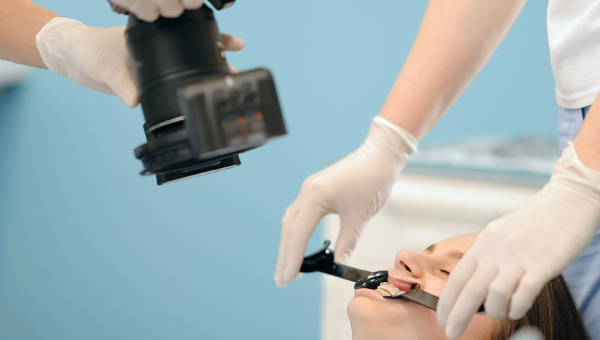
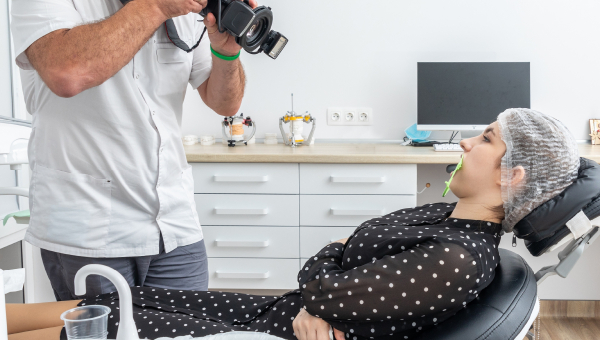
An orthodontist photographing the patient's teeth

What's the Right Way to Take Consistent Progress Photos of Orthodontic Patients?

OrthoPhoto App Ortho News August 24, 2026
  • mobile application
  • dental apps
  • braces progress
  • dental practice
  • braces camera
  • orthodontics

Consistent orthodontic progress photos come down to two things: following the same standard series every time, and capturing each shot at the same angle, distance, and lighting visit after visit. Get those two right and dental photography stops being a source of mismatched before-and-afters.

Most orthodontic photo sets follow a similar structure. Records bodies like the American Board of Orthodontics expect a specific photographic montage as part of a complete case record, not a loose collection of whatever shots happened to get taken that day.

The Standard Series Every Orthodontic Photo Set Should Include

A typical orthodontic photo series covers eight to nine images split between extraoral and intraoral views. Each one documents something the others don't, which is why skipping or swapping a view breaks the comparison from one visit to the next.

The table below summarizes the standard series most orthodontic practices build their photo workflow around.

ViewWhat It Shows
Full-face frontal, relaxed Baseline facial symmetry and lip posture
Full-face frontal, smiling Smile line and dental display
Profile Facial and jaw projection
Anterior retracted Front teeth alignment and midline
Left and right buccal Bite relationship on each side
Upper and lower occlusal Arch shape and crowding from above

Together, these views give a complete picture of a patient's dental and facial presentation, which is exactly what makes them useful for tracking progress over the course of treatment.

What Actually Makes Photos Consistent, Not Just Complete

Capturing all eight or nine views doesn't guarantee consistency on its own. Framing matters just as much: published clinical photography guidance calls for the occlusal plane to sit parallel to the frame and for retractors, fingers, or other distractions to stay out of the shot entirely.

Distance and angle matter too. A buccal shot taken slightly closer or from a different angle than the last visit can make a bite relationship look like it's changed when it hasn't, which undermines the whole point of tracking progress through dental photography in the first place.

Why Consistency Is Harder Than It Sounds

In a busy practice, photos often get taken by whichever assistant is free at that moment, not the same person every time. A 2025 nationwide survey of orthodontists in Spain found that most practices don't work from a written photography protocol at all, which means each staff member is effectively inventing their own version of "consistent."

That gap is rarely intentional. It's just what happens when a process lives in someone's head instead of on a checklist or a guided workflow that every team member follows the same way.

How OrthoPhoto Builds This Standard Into Every Capture

OrthoPhoto's guided capture screen walks staff through the standard series in order, with on-screen overlays for framing each shot. Nobody has to remember which view comes next or eyeball whether the occlusal plane is level.

That structure is also what OrthoPhoto's orthodontic photography app approach is built around more broadly, standardizing dental photography so it doesn't depend on which staff member happens to be holding the phone that day.

Frequently Asked Questions

How many photos should a standard orthodontic progress photo series include?

Most practices work from a set of eight to nine images: three extraoral views covering the face and profile, and five or six intraoral views covering the bite and arches from multiple angles.

That count can vary slightly by practice or by what a specific case needs, but the core structure, facial views plus a full intraoral set, stays consistent across most orthodontic documentation standards.

What's the biggest mistake practices make with consistency?

The most common issue isn't a missing photo, it's a shift in angle or distance between visits. A buccal shot taken slightly closer than last time can make a bite relationship look different even when nothing has actually changed.

That kind of drift usually isn't intentional. It happens gradually, especially when different team members are capturing photos without a shared reference for exactly how each shot should be framed.

Do progress photos need to match the exact angle every visit?

As close as possible. The value of a progress photo comes from comparing it directly to the same shot from a previous visit, so even small differences in angle or distance can make that comparison misleading.

This is part of why guided, on-screen framing tends to produce more reliable series than eyeballing each shot freehand, especially across a full course of treatment spanning many visits.

Can a smartphone take diagnostic-quality dental photography, or do I need a DSLR?

Modern smartphone cameras are capable of high-resolution, well-lit images that meet the standard needed for orthodontic documentation, provided the framing and lighting are consistent.

The bigger factor for image usefulness is usually the workflow around the camera, whether the same views are captured the same way every time, rather than the camera hardware itself.

How does OrthoPhoto keep photos consistent across different staff members?

OrthoPhoto's guided capture screen shows the same overlays and prompts to every user, so the standard series looks the same whether it's captured by a hygienist, an assistant, or the treating dentist.

That removes the dependency on one particular staff member remembering the practice's unwritten photography habits, since the guidance is built into the app rather than passed along informally.

Better Progress Photos Start With a Better Process

OrthoPhoto exists because keeping progress photos consistent shouldn't depend on memory or whoever's free to grab the camera. A guided, repeatable process is what actually makes those photos useful for tracking treatment over time.

Ready to see what consistent dental photography looks like at your practice? Start a free trial of OrthoPhoto and try the guided capture flow with your next patient.

Sources

Photograph Requirements. American Board of Orthodontics. https://www.americanboardortho.com/orthodontists/become-certified/clinical-exam/mail-in-cre-submission-procedure/case-record-preparation/photograph-requirements/
Clinical Photography: A to Z. APOS Trends in Orthodontics. https://apospublications.com/clinical-photography-a-to-z/
Clinical Photography in Orthodontic Practice: Insights from a Nationwide Survey in Spain. PMC, 2025. https://pmc.ncbi.nlm.nih.gov/articles/PMC11943337/

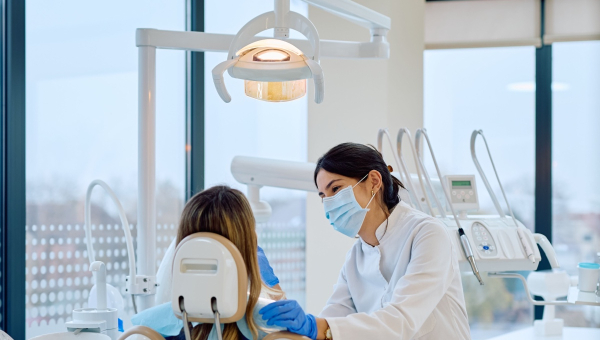
A dentist educating their patient using OrthoPhoto

OrthoPhoto for Multi-Location Practices: Centralizing Patient Records Across Offices

OrthoPhoto App Ortho News August 19, 2026
  • mobile application
  • dental apps
  • braces progress
  • dental practice
  • braces camera

As orthodontic practices expand into multiple locations, managing patient records across offices becomes increasingly complex. When teams rely on disconnected systems, scattered photo storage, and manual processes, it can create confusion, delays, and inefficiencies. For practices with multiple locations, centralized dental recordkeeping is essential to maintaining consistency, accuracy, and productivity.

OrthoPhoto was designed with this challenge in mind. As the very first patient management app created specifically for orthodontic imaging, OrthoPhoto helps practices save time, capture better ortho photos, and streamline dental recordkeeping across all offices in one secure platform.

The Challenge of Multi-Office Orthodontic Practices

When orthodontic groups operate in multiple locations, staff members must access patient records quickly and reliably. However, traditional systems often require transferring files between offices, manually uploading dental braces photos, or maintaining separate databases. This fragmented workflow can lead to duplicated work and inconsistent documentation.

Without centralized dental recordkeeping, orthodontists may struggle to review patient progress if a patient visits a different location. Disconnected records slow consultations and create unnecessary administrative tasks.

A unified system is essential to ensure that every office has access to accurate patient data in real time.

Centralized Dental Recordkeeping for Every Location

OrthoPhoto provides a centralized dental recordkeeping app that connects every office within a practice. Instead of storing files locally on individual computers or cameras, all patient records are securely stored in one cloud-based system.

This allows orthodontists and staff to instantly access patient information from any authorized location. Whether a patient visits the main office or a satellite clinic, their treatment records and dental braces photos remain organized and accessible.

Centralized records provide several advantages:

  • Instant access to patient files across all offices

  • Consistent documentation regardless of location

  • Reduced administrative workload for staff

  • Secure, HIPAA-compliant storage of patient data

  • Seamless collaboration between team members

With this structure in place, practices can maintain high standards of care across every location.

Consistent Imaging with a Dedicated Dental Braces Camera

Consistency is especially important when multiple offices capture orthodontic images. If staff members use different cameras or follow different processes, it becomes difficult to compare dental braces photos over time.

OrthoPhoto solves this challenge with a built-in dental braces camera that guides users through standardized photo sequences. Every office follows the same imaging process, ensuring that images are consistent regardless of who captures them or where they are taken.

This uniform approach improves treatment tracking and strengthens the overall dental recordkeeping process.

With the dedicated dental braces camera, practices benefit from:

  • Standardized photo capture across all locations

  • Consistent dental braces photos for accurate comparisons

  • Reduced training time for staff

  • Faster image capture during patient visits

When every office uses the same workflow, patient documentation remains clear and reliable.

Faster Collaboration Between Teams

Multi-location orthodontic practices often involve collaboration between orthodontists, assistants, and administrative staff. When patient records are centralized, teams can easily review cases and discuss treatment plans.

With OrthoPhoto’s dental recordkeeping app, staff members can instantly retrieve dental braces photos and patient records during consultations. This ensures that everyone involved in the patient’s care has access to the same information.

Improved collaboration leads to:

  • Faster decision-making during consultations

  • Better communication between offices

  • More consistent patient care

  • Reduced duplication of work

Centralized records eliminate the need for manual file transfers and ensure that teams stay aligned.

Supporting Practice Growth and Scalability

As orthodontic practices grow, the need for efficient systems becomes even more critical. Expanding into additional locations should not complicate dental recordkeeping or slow down workflows.

OrthoPhoto provides a scalable solution that grows alongside your practice. Because the platform centralizes patient records and imaging, new locations can easily integrate into the same system without disrupting existing workflows.

This makes OrthoPhoto ideal for practices that plan to expand while maintaining consistent standards across all offices.

Save Time and Take Better OrthoPhotos

Managing patient records across multiple orthodontic locations can be challenging without the right technology. Fragmented systems create inefficiencies, increase administrative tasks, and make it harder to track treatment progress.

OrthoPhoto simplifies this process by combining a dedicated dental braces camera with a centralized dental recordkeeping app. By organizing dental braces photos and patient data in one secure platform, practices can maintain consistency across offices while improving workflow efficiency.

For multi-location orthodontic practices, OrthoPhoto provides the clarity, organization, and accessibility needed to deliver seamless patient care—no matter where the appointment takes place.

  1. Training New Staff on Orthodontic Photography: Best Practices and Quick Onboarding Tips
  2. Future-Proof Your Orthodontic Practice: Embracing Mobile Dental Recordkeeping Tools
  3. OrthoPhoto vs. Traditional Cameras: Why Mobile Wins for Busy Practices
  4. The Role of Visual Documentation in Modern Orthodontics

Page 3 of 26

  • 1
  • 2
  • 3
  • 4
  • 5
  • 6
  • 7
  • 8
  • 9
  • 10
© 2026 OrthoPhoto App. Houston Web Design by INFINI Marketing.

Terms of Service - Privacy Policy

OrthoPhoto App

  • About Us
  • Benefits
  • Support
  • News
  • Contact Us