
Ortho Photo Ortho Photo
  • About Us
  • Benefits
  • Support
  • News
  • Contact Us
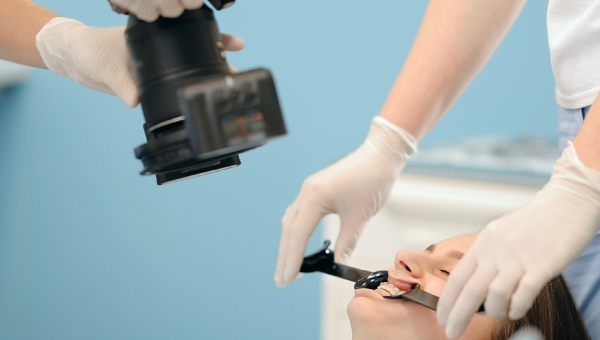
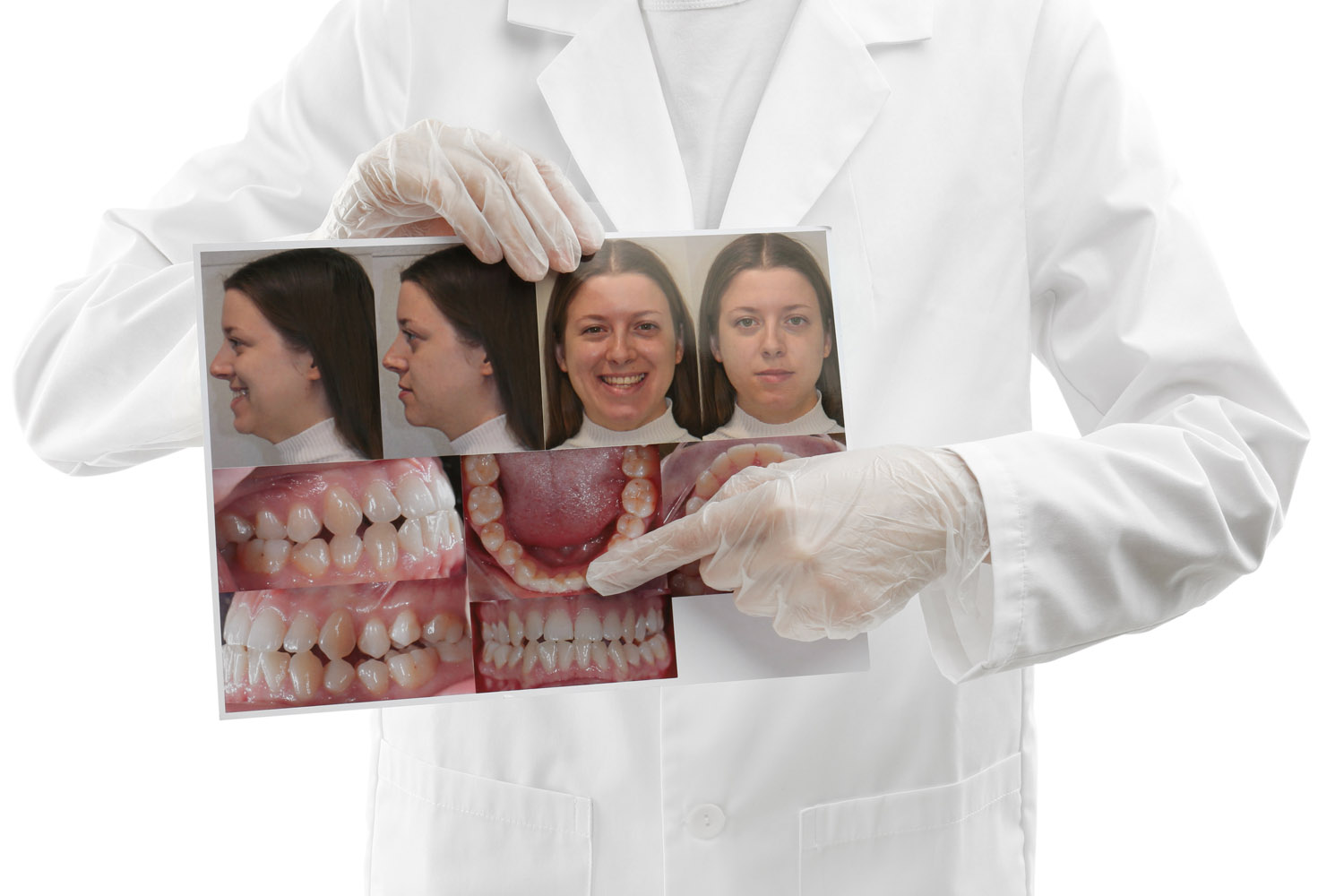
dentist holding photo of patient and patient teeth as record

How Can Orthodontic Progress Photos in Houston Support Case Acceptance and Patient Referrals?

OrthoPhoto App Ortho News September 23, 2026
  • mobile application
  • dental apps
  • dental practice
  • braces camera
  • orthodontics
  • dental photography
  • dental braces photos

Orthodontic progress photos in Houston can do more than document treatment: when used ethically and with proper authorization, they can help patients understand recommendations, visualize change, and discuss care with greater clarity. Research has found intraoral photography can support patient communication and treatment-plan acceptance, while privacy rules remain essential whenever images are used beyond clinical care.

How Can Orthodontic Progress Photos Improve a Consultation?

Patients do not always interpret clinical descriptions the way an orthodontic team does. A clear image can make crowding, bite relationships, hygiene concerns, or visible progress easier to discuss without relying only on technical language.

A 2024 literature review reported that intraoral photography can be useful in communication with patients and treatment-plan acceptance. That does not mean photos guarantee case acceptance; it means visual information can make the conversation more understandable.

How Can Photos Support a More Informed Treatment Conversation?

Photos work best when they clarify the clinician’s explanation rather than replace it. During a consultation, the team can use the patient’s own images to point out visible findings, explain what treatment is intended to change, and revisit the same views later to show progress. This keeps the conversation anchored in the patient’s record instead of generic examples.

A consistent visual sequence can also reduce misunderstandings. Patients can see why a recommendation is being made, ask more specific questions, and compare changes over time. That supports informed decision-making without treating images as a sales tactic or suggesting that a particular result is guaranteed.

Where Do Photos Fit in Case Acceptance?

Case acceptance should come from informed decision-making, not pressure. Photos can support that process by showing the patient what the clinician is seeing, establishing a baseline, and helping explain the purpose of a proposed treatment.

StageUseful Photo Role
New-patient exam Create a visual baseline
Treatment presentation Support explanation of findings
Progress review Show visible change over time
Completion Document final clinical appearance
Referral/marketing Use only with appropriate authorization

The significance of the table is the separation between clinical and promotional use. The same image may be valuable in both contexts, but the permission and privacy requirements are not the same.

Can Before-and-After Photos Help Patient Referrals?

With appropriate written authorization, before-and-after images can help prospective patients understand the types of changes an orthodontic practice treats. They can also give existing patients a visual story they may choose to share when recommending the practice.

However, patient referrals should never depend on publishing identifiable clinical images without permission. The ADA warns that photos or messages posted online may violate privacy laws when a patient can be identified and has not authorized disclosure.

What Consent Is Needed Before Photos Become Marketing Content?

Treatment consent and marketing authorization are different. The ADA states that valid authorization is required before certain uses or disclosures of patient information for marketing, and its sample photography release demonstrates the importance of explicit permission for promotional use.

Practices should document authorization, define where images may be used, and follow applicable HIPAA and state requirements. When in doubt, obtain legal guidance rather than assuming a clinical photo can be repurposed.

Why Does Consistency Matter for Credibility?

Before-and-after comparisons are more trustworthy when lighting, angle, framing, and magnification are reasonably consistent. A standardized workflow also makes clinical comparisons easier because changes in the image are less likely to come from a different camera position.

OrthoPhoto provides a clinical photo template and patient-record workflow intended to keep image capture and organization consistent. Explore the OrthoPhoto benefits to see how standardized records can support both clinical communication and efficient office flow.

How Can a Practice Use Photos Without Turning Every Image into Marketing?

Build the clinical record first. Use photos to document, educate, and communicate with the patient. Only after appropriate authorization should a separate marketing workflow select images for a website, social channel, or referral material.

That separation protects the purpose of the record and keeps patient trust at the center. Contact OrthoPhoto to learn how its patient photo workflow can fit into your practice documentation process.

Frequently Asked Questions

How can orthodontic progress photos improve a consultation?

Clear intraoral images make crowding, bite relationships, and hygiene concerns easier for patients to visualize without relying solely on technical clinical descriptions.

What consent is required before using clinical photos for marketing?

Treatment consent and marketing release are separate. Practices must obtain explicit written authorization before using identifiable patient images for public marketing, social media, or promotional materials.

Why does consistency matter for progress and before-and-after photos?

Standardized lighting, framing, and camera angles ensure that observed changes reflect actual treatment progress rather than variations in photography technique, making visual comparisons far more credible.

Sources

Dentistry Review — The Role of Intra-oral Photography in Dental Patients’ Acceptance of Treatment Plans. https://www.sciencedirect.com/science/article/pii/S2772559624000269
American Dental Association — Patient Privacy / Social Media. https://www.ada.org/resources/practice/practice-management/07_legalethical_patientprivacysocialmedia
American Dental Association — HIPAA 20 Questions. https://www.ada.org/resources/practice/legal-and-regulatory/hipaa/hipaa-20-questions
American Dental Association — Sample Photography/Image Release. https://www.ada.org/-/media/project/ada-organization/ada/ada-org/files/publications/guidelines-for-practice-success/gps-marketing/sample-photography_image-release.pdf
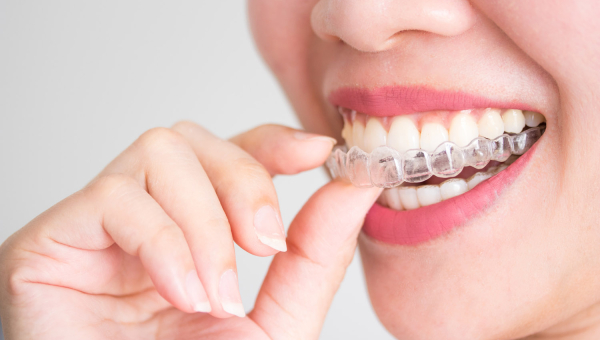
patient holding clear aligners

How Should Clear Aligner Progress Photos in Houston Differ from Braces Photography?

OrthoPhoto App Ortho News September 23, 2026
  • mobile application
  • dental apps
  • dental practice
  • braces camera
  • orthodontics
  • dental photography
  • dental braces photos

Clear aligner progress photos in Houston should document fit, tracking, attachments, occlusion, and visible tooth-position changes in a repeatable sequence. Unlike braces photography, aligner cases add a removable appliance whose seating and tracking can be visually compared over time. Standardized images support clinical review, patient communication, and more consistent records.

Why Are Clear Aligner Progress Photos Different from Braces Photography?

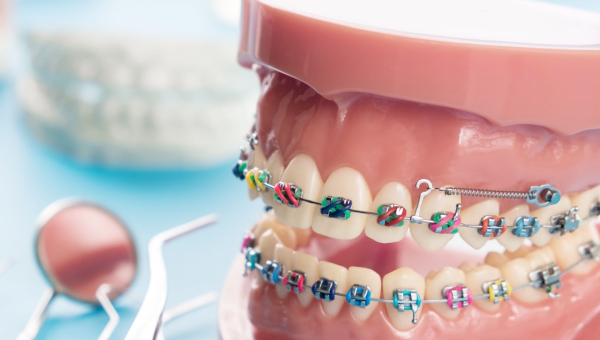
Braces remain fixed to the teeth, so progress images typically document bracket position, arch development, occlusion, hygiene, and treatment changes with the appliance in place. Clear aligners are removable, so the photo workflow can include both appliance-free views and views showing how an aligner seats against teeth and attachments.

That difference makes consistency especially important. If one visit is photographed with aligners in and another without them, or if angles and magnification change, comparisons become less useful. OrthoPhoto is designed to capture clinical orthodontic photos in a consistent sequence and assign them to the correct patient record.

What Should an Aligner Progress Photo Series Capture?

An orthodontic progress photo series should be selected by the treating clinician for the clinical question at hand. Common intraoral views include frontal, right buccal, left buccal, maxillary occlusal, and mandibular occlusal images. Aligner cases may add targeted views of seating, attachments, or areas where tracking is uncertain.

Photo ViewWhat It Can Help Document
Frontal intraoral Midlines, overbite, visible alignment
Right/left buccal Occlusion and posterior relationships
Upper/lower occlusal Arch form and tooth positions
Aligner seated Visible fit and potential tracking gaps
Targeted close-up Attachments or a specific concern

The table is not a substitute for a practice protocol. Its value is showing how each image should answer a defined documentation question rather than simply adding more photos.

How Can Invisalign Progress Photos Support Tracking?

Invisalign progress photos and other clear-aligner images can help a clinician compare what is visible in the mouth with the intended stage of treatment. Research on remote dental monitoring shows that photo-based monitoring can reduce in-office visits in some clear-aligner workflows, although it does not replace professional judgment or guarantee predicted tooth movement.

Photos are most useful when the same views, lighting, framing, and sequence are repeated. OrthoPhoto’s clinical photo template is built around consistent sequencing and patient-file organization, helping teams reduce the administrative friction around repeated documentation.

When Are Extra Aligner Photos Worth Adding?

Extra images are most useful when they answer a specific clinical question rather than simply increasing the record. A practice may add a close-up when an attachment is difficult to see, an aligner does not appear fully seated, or one area needs closer comparison. Supplemental views should stay tied to the same patient and treatment stage as the standard series.

How Should Practices Handle Patient Privacy?

Clinical photographs are patient information. The American Dental Association notes that practices generally need valid authorization before using or disclosing patient information for marketing purposes, and it advises written releases before identifiable patient photos are posted publicly.

Keep clinical documentation and marketing permission as separate decisions. A photo taken for treatment records should not automatically become a social post. Practices should follow HIPAA, applicable state law, their own privacy policies, and legal guidance when needed.

What Makes a Repeatable Photo Workflow Easier for Staff?

A repeatable workflow defines the required views, sequence, device setup, patient positioning, file naming, and storage location. That consistency reduces the chance that one team member captures a different series from another.

Explore OrthoPhoto’s app features to see how patient files, photo sequencing, and exports are organized, or contact OrthoPhoto with workflow questions.

What Is the Practical Takeaway for Aligner Cases?

Clear aligner photography works best when every image has a purpose. Photograph the views needed to evaluate progress, repeat them consistently, and add aligner-seating images when fit or tracking is the question. The result is a cleaner visual timeline for the clinical team and a more understandable record for patient conversations.

Take Your Next Steps with OrthoPhoto

OrthoPhoto helps practices keep those records organized without turning photography into a separate after-hours filing task. Review the OrthoPhoto benefits and decide how a standardized photo workflow can fit your aligner protocol.

Frequently Asked Questions

Why are clear aligner progress photos different from braces photography?

Braces remain fixed to the teeth, so progress images typically document bracket position, arch development, occlusion, hygiene, and treatment changes with the appliance in place. Clear aligners are removable, so the photo workflow can include both appliance-free views and views showing how an aligner seats against teeth and attachments.

How can Invisalign progress photos support tracking?

Invisalign progress photos and other clear-aligner images can help a clinician compare what is visible in the mouth with the intended stage of treatment. Research on remote dental monitoring shows that photo-based monitoring can reduce in-office visits in some clear-aligner workflows.

How should practices handle patient privacy with clinical photos?

Clinical photographs are patient information. Practices generally need valid authorization before using or disclosing patient information for marketing purposes, and written releases are recommended before identifiable patient photos are posted publicly.

What makes a repeatable photo workflow easier for staff?

A repeatable workflow defines the required views, sequence, device setup, patient positioning, file naming, and storage location. That consistency reduces the chance that one team member captures a different series from another.

Sources

OrthoPhoto App — product workflow information. https://www.orthophotoapp.com/
American Journal of Orthodontics and Dentofacial Orthopedics — clear aligner treatment with and without Dental Monitoring. https://www.sciencedirect.com/science/article/pii/S0889540620308301
American Dental Association — HIPAA 20 Questions. https://www.ada.org/resources/practice/legal-and-regulatory/hipaa/hipaa-20-questions
American Dental Association — Patient Privacy / Social Media. https://www.ada.org/resources/practice/practice-management/07_legalethical_patientprivacysocialmedia

A mold of teeth with braces

The Impact of Consistent Orthodontic Photography on Treatment Predictability and Outcomes

OrthoPhoto App Ortho News September 02, 2026
  • mobile application
  • dental apps
  • braces progress
  • dental practice
  • braces camera

Orthodontic treatment is built on careful planning, precise adjustments, and continuous evaluation. Every stage of care—from diagnosis to final alignment—relies on accurate visual documentation. When orthodontists maintain consistent imaging and reliable dental recordkeeping, they gain clearer insight into treatment progress and can make more confident clinical decisions.

Consistent orthodontic photography improves predictability and ultimately leads to better patient outcomes. With tools like OrthoPhoto, the very first patient management app designed specifically for orthodontic photography, practices can save time, capture better ortho photos, and strengthen their dental recordkeeping processes.

Why Consistency Matters in Orthodontic Imaging

Orthodontic treatment unfolds gradually over months or even years. To track progress accurately, clinicians rely heavily on visual comparisons between visits. High-quality dental braces photos allow orthodontists to observe small but important changes in tooth alignment, spacing, and bite relationships.

However, if images are captured inconsistently—using different angles, lighting, or framing—those comparisons become unreliable. Even subtle differences in positioning can make it difficult to evaluate progress.

A dedicated dental braces camera ensures that each image is captured in the same format every time. This consistency allows orthodontists to clearly compare dental braces photos over time and make adjustments based on accurate visual data.

Strengthening Diagnosis and Treatment Planning

Consistent photography plays a crucial role during the initial diagnostic phase. Orthodontists rely on dental braces photos to assess tooth position, facial symmetry, and bite alignment. When these images are clear and properly organized within a dental recordkeeping system, they provide a reliable foundation for treatment planning.

Accurate documentation helps orthodontists:

  • Evaluate alignment and spacing issues more precisely

  • Monitor bracket positioning and appliance performance

  • Identify early signs of complications or delays

  • Adjust treatment strategies with greater confidence

When these images are captured using a standardized dental braces camera and stored within a structured dental recordkeeping app, clinicians gain a clearer picture of how treatment is progressing.

The Role of Organized Dental Recordkeeping

Capturing great images is only part of the process. Without organized dental recordkeeping, even the best dental braces photos lose their value. When images are stored inconsistently or scattered across multiple devices, reviewing progress becomes time-consuming and inefficient.

A centralized dental recordkeeping app ensures that every image is securely stored and linked to the patient’s treatment timeline. OrthoPhoto simplifies this process by automatically organizing dental braces photos into patient files and chronological templates.

This automated dental recordkeeping structure helps orthodontists retrieve images instantly during consultations, improving both efficiency and clinical clarity.

Improving Patient Communication and Engagement

Consistent orthodontic photography also enhances communication with patients. When orthodontists can show side-by-side comparisons of dental braces photos from different stages of treatment, patients gain a clearer understanding of their progress.

Visual documentation helps patients see the results of adjustments and understand why certain treatment decisions are made. This transparency often increases trust and motivates patients to follow treatment recommendations.

Clear visual communication can lead to:

  • Greater patient confidence in treatment plans

  • Improved compliance with orthodontic instructions

  • More productive consultations

  • Higher overall patient satisfaction

With strong dental recordkeeping practices, these images become powerful tools for both education and motivation.

How OrthoPhoto Supports Consistent Orthodontic Imaging

OrthoPhoto was designed to help orthodontists capture and manage images efficiently while maintaining consistency across visits. As the first patient management platform built specifically for orthodontic photography, OrthoPhoto integrates a guided dental braces camera with automated dental recordkeeping.

The system ensures that every photo is taken in the correct sequence and automatically stored in a structured format within the dental recordkeeping app. This eliminates manual sorting and reduces the risk of misfiled images.

Key benefits of using OrthoPhoto include:

  • Guided image capture with a standardized dental braces camera

  • Automated organization of dental braces photos

  • Secure, HIPAA-compliant dental recordkeeping

  • Instant access to patient images during consultations

  • Reduced administrative workload for staff

By simplifying both imaging and record management, OrthoPhoto allows orthodontists to focus more on patient care and treatment precision.

Download OrthoPhoto for Free

Consistent orthodontic photography is essential for improving treatment predictability and achieving better outcomes. When dental braces photos are captured with uniform angles and stored through organized dental recordkeeping, orthodontists gain the clarity needed to monitor progress and refine treatment plans.

OrthoPhoto makes this process simple by combining a guided dental braces camera with automated dental recordkeeping in one intuitive platform. With better dental braces photos and streamlined documentation, orthodontic practices can improve efficiency while delivering more predictable, high-quality results for their patients. Download OrthoPhoto today!

A dentist using the OrthoPhoto app

Leveraging Before-and-After Ortho Photos for Effective Case Presentations and Consultations

OrthoPhoto App Ortho News September 16, 2026
  • ortho photo
  • mobile application
  • dental apps
  • braces progress
  • dental practice

In orthodontics, visuals speak louder than words. While treatment plans, scans, and measurements provide valuable data, nothing communicates progress quite like before-and-after orthodontic images. Well-documented dental braces photos allow patients to clearly see the transformation happening in their smile, making consultations more persuasive and treatment discussions easier to understand.

However, the effectiveness of these presentations depends on consistent photography and organized dental recordkeeping. With tools like OrthoPhoto—the very first patient management app built specifically for orthodontic imaging—clinicians can save time, capture better ortho photos, and present treatment progress with clarity and confidence.

Why Before-and-After Ortho Photos Matter

Orthodontic treatment often takes months or years, and changes occur gradually. Patients may not notice small improvements week to week, which can make it difficult for them to appreciate their progress. Before-and-after dental braces photos provide a powerful visual comparison that clearly demonstrates how far a patient has come.

When orthodontists use consistent imaging techniques, these comparisons become much more meaningful. Clear documentation allows clinicians to highlight improvements in alignment, spacing, and bite correction while reinforcing the value of treatment.

This is where a dedicated dental braces camera becomes essential. By ensuring consistent photo capture across visits, orthodontists can build a reliable visual timeline for each patient.

Building Stronger Case Presentations

Case presentations are one of the most important moments in an orthodontic consultation. Patients want to understand their condition, the proposed treatment, and the expected outcome. Visual documentation makes these conversations easier and more engaging.

Before-and-after dental braces photos help orthodontists demonstrate the benefits of treatment in a way that patients immediately understand.

Key advantages include:

  • Showing visible progress between visits

  • Helping patients understand treatment goals

  • Demonstrating the effectiveness of orthodontic care

  • Increasing patient confidence in treatment recommendations

  • Encouraging acceptance of proposed treatment plans

When these images are organized through proper dental recordkeeping, orthodontists can instantly retrieve and present them during consultations.

The Role of Organized Dental Recordkeeping

Effective case presentations rely on more than just good photos—they require well-structured dental recordkeeping. If images are scattered across different devices or folders, valuable time can be lost during consultations searching for the right files.

A centralized dental recordkeeping app ensures that every image is properly organized and easy to retrieve. OrthoPhoto simplifies this process by automatically storing dental braces photos in structured templates within each patient’s record.

This automated dental recordkeeping system eliminates manual sorting and ensures that before-and-after comparisons are always available when needed.

With organized records, orthodontists can move smoothly from diagnosis to explanation, creating a more professional and efficient consultation experience.

Enhancing Patient Understanding and Engagement

Patients are far more likely to trust and accept treatment recommendations when they can see real results. Before-and-after dental braces photos provide clear visual proof that orthodontic care produces meaningful improvements.

When orthodontists use a consistent dental braces camera to capture images throughout treatment, they create a reliable visual timeline that patients can easily follow.

This approach improves consultations by:

  • Making treatment progress easy to visualize

  • Helping patients understand complex orthodontic concepts

  • Reinforcing the benefits of treatment

  • Increasing patient motivation and compliance

Visual storytelling is a powerful tool in patient communication, and strong dental recordkeeping ensures those stories are easy to present.

How OrthoPhoto Simplifies Before-and-After Documentation

OrthoPhoto was designed specifically to help orthodontic practices capture, organize, and present images more efficiently. As the first dental recordkeeping app built for orthodontic photography, it combines a guided dental braces camera with automated record management.

Instead of manually sorting files or transferring images from multiple devices, OrthoPhoto automatically organizes dental braces photos into patient timelines. This allows orthodontists to quickly display before-and-after comparisons during consultations.

Key advantages include:

  • Guided photo capture with a dedicated dental braces camera

  • Automated organization of dental braces photos

  • Secure storage within a HIPAA-compliant dental recordkeeping app

  • Instant access to images during case presentations

  • Reduced administrative workload for staff

With these tools in place, orthodontists can focus on communicating results rather than managing files.

Embrace the Future with OrthoPhoto

Before-and-after orthodontic photography is one of the most effective tools for demonstrating treatment progress and building patient confidence. When dental braces photos are captured consistently and supported by strong dental recordkeeping, consultations become clearer, more engaging, and more persuasive.

OrthoPhoto makes this process simple by combining a guided dental braces camera with automated dental recordkeeping in one powerful platform. By helping orthodontists save time and capture better ortho photos, OrthoPhoto ensures that every case presentation tells a clear and compelling story of transformation.

An orthodontist photographing the patient's teeth

What's the Right Way to Take Consistent Progress Photos of Orthodontic Patients?

OrthoPhoto App Ortho News August 24, 2026
  • mobile application
  • dental apps
  • braces progress
  • dental practice
  • braces camera
  • orthodontics

Consistent orthodontic progress photos come down to two things: following the same standard series every time, and capturing each shot at the same angle, distance, and lighting visit after visit. Get those two right and dental photography stops being a source of mismatched before-and-afters.

Most orthodontic photo sets follow a similar structure. Records bodies like the American Board of Orthodontics expect a specific photographic montage as part of a complete case record, not a loose collection of whatever shots happened to get taken that day.

The Standard Series Every Orthodontic Photo Set Should Include

A typical orthodontic photo series covers eight to nine images split between extraoral and intraoral views. Each one documents something the others don't, which is why skipping or swapping a view breaks the comparison from one visit to the next.

The table below summarizes the standard series most orthodontic practices build their photo workflow around.

ViewWhat It Shows
Full-face frontal, relaxed Baseline facial symmetry and lip posture
Full-face frontal, smiling Smile line and dental display
Profile Facial and jaw projection
Anterior retracted Front teeth alignment and midline
Left and right buccal Bite relationship on each side
Upper and lower occlusal Arch shape and crowding from above

Together, these views give a complete picture of a patient's dental and facial presentation, which is exactly what makes them useful for tracking progress over the course of treatment.

What Actually Makes Photos Consistent, Not Just Complete

Capturing all eight or nine views doesn't guarantee consistency on its own. Framing matters just as much: published clinical photography guidance calls for the occlusal plane to sit parallel to the frame and for retractors, fingers, or other distractions to stay out of the shot entirely.

Distance and angle matter too. A buccal shot taken slightly closer or from a different angle than the last visit can make a bite relationship look like it's changed when it hasn't, which undermines the whole point of tracking progress through dental photography in the first place.

Why Consistency Is Harder Than It Sounds

In a busy practice, photos often get taken by whichever assistant is free at that moment, not the same person every time. A 2025 nationwide survey of orthodontists in Spain found that most practices don't work from a written photography protocol at all, which means each staff member is effectively inventing their own version of "consistent."

That gap is rarely intentional. It's just what happens when a process lives in someone's head instead of on a checklist or a guided workflow that every team member follows the same way.

How OrthoPhoto Builds This Standard Into Every Capture

OrthoPhoto's guided capture screen walks staff through the standard series in order, with on-screen overlays for framing each shot. Nobody has to remember which view comes next or eyeball whether the occlusal plane is level.

That structure is also what OrthoPhoto's orthodontic photography app approach is built around more broadly, standardizing dental photography so it doesn't depend on which staff member happens to be holding the phone that day.

Frequently Asked Questions

How many photos should a standard orthodontic progress photo series include?

Most practices work from a set of eight to nine images: three extraoral views covering the face and profile, and five or six intraoral views covering the bite and arches from multiple angles.

That count can vary slightly by practice or by what a specific case needs, but the core structure, facial views plus a full intraoral set, stays consistent across most orthodontic documentation standards.

What's the biggest mistake practices make with consistency?

The most common issue isn't a missing photo, it's a shift in angle or distance between visits. A buccal shot taken slightly closer than last time can make a bite relationship look different even when nothing has actually changed.

That kind of drift usually isn't intentional. It happens gradually, especially when different team members are capturing photos without a shared reference for exactly how each shot should be framed.

Do progress photos need to match the exact angle every visit?

As close as possible. The value of a progress photo comes from comparing it directly to the same shot from a previous visit, so even small differences in angle or distance can make that comparison misleading.

This is part of why guided, on-screen framing tends to produce more reliable series than eyeballing each shot freehand, especially across a full course of treatment spanning many visits.

Can a smartphone take diagnostic-quality dental photography, or do I need a DSLR?

Modern smartphone cameras are capable of high-resolution, well-lit images that meet the standard needed for orthodontic documentation, provided the framing and lighting are consistent.

The bigger factor for image usefulness is usually the workflow around the camera, whether the same views are captured the same way every time, rather than the camera hardware itself.

How does OrthoPhoto keep photos consistent across different staff members?

OrthoPhoto's guided capture screen shows the same overlays and prompts to every user, so the standard series looks the same whether it's captured by a hygienist, an assistant, or the treating dentist.

That removes the dependency on one particular staff member remembering the practice's unwritten photography habits, since the guidance is built into the app rather than passed along informally.

Better Progress Photos Start With a Better Process

OrthoPhoto exists because keeping progress photos consistent shouldn't depend on memory or whoever's free to grab the camera. A guided, repeatable process is what actually makes those photos useful for tracking treatment over time.

Ready to see what consistent dental photography looks like at your practice? Start a free trial of OrthoPhoto and try the guided capture flow with your next patient.

Sources

Photograph Requirements. American Board of Orthodontics. https://www.americanboardortho.com/orthodontists/become-certified/clinical-exam/mail-in-cre-submission-procedure/case-record-preparation/photograph-requirements/
Clinical Photography: A to Z. APOS Trends in Orthodontics. https://apospublications.com/clinical-photography-a-to-z/
Clinical Photography in Orthodontic Practice: Insights from a Nationwide Survey in Spain. PMC, 2025. https://pmc.ncbi.nlm.nih.gov/articles/PMC11943337/

  1. Do Orthodontic Patient Photos Need to Be HIPAA Compliant?
  2. OrthoPhoto for Multi-Location Practices: Centralizing Patient Records Across Offices
  3. Training New Staff on Orthodontic Photography: Best Practices and Quick Onboarding Tips
  4. Future-Proof Your Orthodontic Practice: Embracing Mobile Dental Recordkeeping Tools

Page 1 of 24

  • 1
  • 2
  • 3
  • 4
  • 5
  • 6
  • 7
  • 8
  • 9
  • 10
© 2026 OrthoPhoto App. Houston Web Design by INFINI Marketing.

Terms of Service - Privacy Policy

OrthoPhoto App

  • About Us
  • Benefits
  • Support
  • News
  • Contact Us