

Ortho Photo Ortho Photo
  • About Us
  • Benefits
  • Support
  • News
  • Contact Us
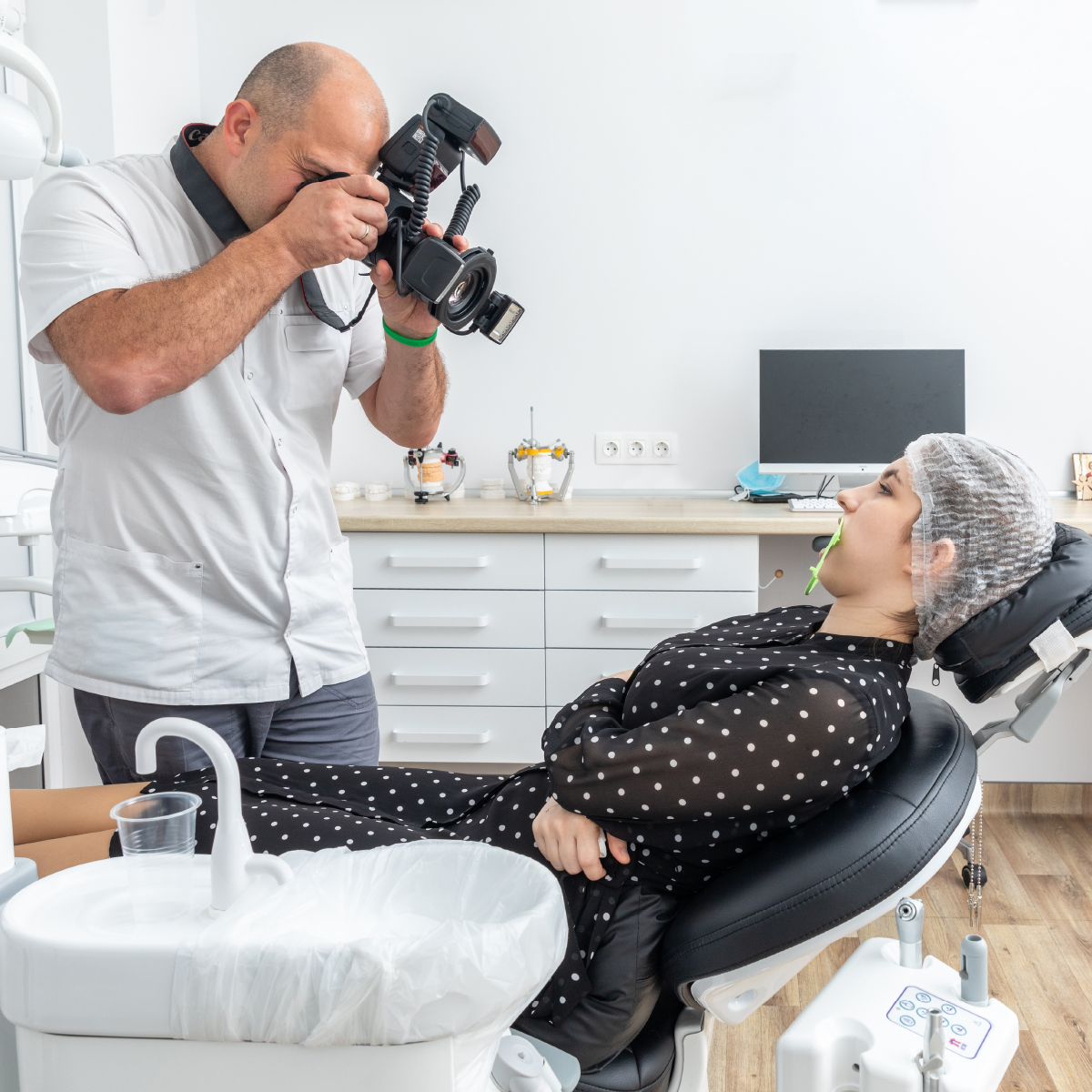
Dentist photographing a patient's teeth for a medical record

Do Orthodontic Patient Photos Need to Be HIPAA Compliant?

OrthoPhoto App Ortho News August 24, 2026
  • mobile application
  • dental apps
  • braces progress
  • dental practice
  • braces camera
  • orthodontics

Yes. If you're an orthodontist in Houston, or anywhere else in the country, patient photos that can be tied to an identifiable person count as protected health information under HIPAA, the same as x-rays or chart notes.

If you're an orthodontist in Houston specifically, there's a second layer to know about. Texas has its own law, HB 300, that adds requirements on top of federal HIPAA, including a shorter window for giving patients access to their own records. Designed specifically for orthodontic imaging, OrthoPhoto helps practices save time, capture better ortho photos, and streamline dental recordkeeping across all offices in one secure platform.

Why Patient Photos Count as Protected Health Information

HIPAA defines protected health information broadly: any health information that's linked to an identifiable patient, in any format. A braces photo filed under a patient's name meets that bar just as clearly as a written note.

That means the same expectations around storage, access, and sharing that apply to written records apply to photos too. The American Dental Association's guidance on patient recordstreats them as part of the same documentation that practices should be auditing regularly, not a separate category with looser rules.

It's a common misconception that photos are somehow lower-stakes than a written chart note, since they don't contain a name typed directly on the image. In practice, a photo filed under a specific patient's record is identifiable the moment it's connected to that file, which is exactly what happens in a normal clinical workflow.

What Federal HIPAA Requires for Orthodontic Photos

At the federal level, HIPAA expects patient photos to be encrypted, access-controlled, and limited to the staff who actually need to see them. Practices also need a signed Business Associate Agreement with any vendor, including a photo app, that touches that data.

None of this is unique to photography. It's the same baseline HIPAA sets for any protected health information, whether it's a scanned form or an image captured on a phone.

Where practices tend to run into trouble is the capture step itself, before a photo ever reaches a secure file. A photo sitting in a phone's camera roll, even briefly, is outside that protected environment, which is one reason manual workflows are harder to keep fully compliant than a dedicated capture tool.

Extra Rules for an Orthodontist in Houston or Elsewhere in Texas

Texas passed its own medical privacy law, HB 300, that goes further than federal HIPAA in a few specific ways. It applies to a broader range of organizations, not just traditional healthcare providers, and it shortens the timeline for giving patients access to their records.

The table below summarizes where Texas HB 300 adds to what federal HIPAA already requires.

RequirementFederal HIPAATexas HB 300
Patient record access Up to 30 days Up to 15 business days
Breach notification Required, no fixed state deadline Patients and the Texas Attorney General notified within 60 days
Staff training Required, general timeline Specific, role-based training timelines
Penalties Up to roughly $2.1 million per violation category, per year Up to an additional $1.5 million per year, enforced separately by the state

An orthodontist in Houston is subject to both columns at once. Where the two laws differ, the stricter rule applies.

That combination catches some practices off guard, particularly the faster records-access window. A process built only around HIPAA's 30-day standard can fall short of what Texas actually requires.

How OrthoPhoto Helps Meet Both Standards

OrthoPhoto's encryption, access controls, audit trails, and signed BAA are built to satisfy federal HIPAA by default. Texas practices get the added benefit of records that are already organized and quick to pull, which matters more once a 15-day clock is running instead of 30.

For a closer look at how that security works day to day, see OrthoPhoto's HIPAA compliance or how it handles dental recordkeeping more broadly.

Frequently Asked Questions

Do dental photos count as protected health information under HIPAA?

Yes, as long as they can be tied to an identifiable patient. HIPAA defines protected health information broadly, covering any format, so braces and orthodontic progress photos filed in a patient's chart meet that standard just as much as written notes or x-rays.

It's a common misconception that photos are lower-stakes simply because they don't have a name printed on the image itself. In practice, the moment a photo is filed under a specific patient's record, it becomes identifiable and falls under the same protections as the rest of that chart.

Does Texas require anything beyond federal HIPAA for patient photos?

Yes. Texas HB 300 applies a broader definition of covered entities than federal HIPAA, reaching organizations that might not otherwise be considered healthcare providers, and it shortens the patient record request window to 15 business days instead of the federal 30.

HB 300 also adds its own training requirements and a separate breach notification rule requiring the Texas Attorney General to be notified within 60 days. A practice that only builds its compliance program around federal HIPAA can still be out of step with what Texas specifically requires.

What happens if a practice doesn't comply with HB 300?

Texas can pursue its own penalties, entirely separate from federal HIPAA enforcement. Fines scale based on intent and financial gain, and can run alongside whatever the federal government pursues for the same underlying incident.

That dual-track enforcement is what catches some practices off guard. A compliance gap in Texas isn't just a federal HIPAA question anymore, it can also draw direct attention from the Texas Attorney General's office on top of any federal review.

Is OrthoPhoto compliant with both HIPAA and Texas HB 300?

OrthoPhoto's security features, encryption in transit and at rest, role-based access controls, automatic audit trails, and a signed BAA at onboarding, are built around federal HIPAA as the baseline every practice needs to meet.

Texas practices get an added benefit from that same setup. Because every photo is already organized and filed the moment it's captured, pulling a complete record takes far less scrambling once a 15-day request clock is running instead of the federal 30.

Sources

Documentation/Patient Records. American Dental Association. https://www.ada.org/resources/practice/practice-management/documentation-patient-records
Understanding Texas HB 300 and Its Impact on Dentists. HealthFirst. https://www.healthfirst.com/knowledge-base/articles/understanding-texas-hb-300-and-the-impact-on-dentists/
HIPAA Compliance in Texas: 2026 Guide for Hospitals, Clinics & CHCs. Medcurity. https://medcurity.com/hipaa-compliance-texas/
A dentist educating their patient using OrthoPhoto

OrthoPhoto for Multi-Location Practices: Centralizing Patient Records Across Offices

OrthoPhoto App Ortho News August 19, 2026
  • mobile application
  • dental apps
  • braces progress
  • dental practice
  • braces camera

As orthodontic practices expand into multiple locations, managing patient records across offices becomes increasingly complex. When teams rely on disconnected systems, scattered photo storage, and manual processes, it can create confusion, delays, and inefficiencies. For practices with multiple locations, centralized dental recordkeeping is essential to maintaining consistency, accuracy, and productivity.

OrthoPhoto was designed with this challenge in mind. As the very first patient management app created specifically for orthodontic imaging, OrthoPhoto helps practices save time, capture better ortho photos, and streamline dental recordkeeping across all offices in one secure platform.

The Challenge of Multi-Office Orthodontic Practices

When orthodontic groups operate in multiple locations, staff members must access patient records quickly and reliably. However, traditional systems often require transferring files between offices, manually uploading dental braces photos, or maintaining separate databases. This fragmented workflow can lead to duplicated work and inconsistent documentation.

Without centralized dental recordkeeping, orthodontists may struggle to review patient progress if a patient visits a different location. Disconnected records slow consultations and create unnecessary administrative tasks.

A unified system is essential to ensure that every office has access to accurate patient data in real time.

Centralized Dental Recordkeeping for Every Location

OrthoPhoto provides a centralized dental recordkeeping app that connects every office within a practice. Instead of storing files locally on individual computers or cameras, all patient records are securely stored in one cloud-based system.

This allows orthodontists and staff to instantly access patient information from any authorized location. Whether a patient visits the main office or a satellite clinic, their treatment records and dental braces photos remain organized and accessible.

Centralized records provide several advantages:

  • Instant access to patient files across all offices

  • Consistent documentation regardless of location

  • Reduced administrative workload for staff

  • Secure, HIPAA-compliant storage of patient data

  • Seamless collaboration between team members

With this structure in place, practices can maintain high standards of care across every location.

Consistent Imaging with a Dedicated Dental Braces Camera

Consistency is especially important when multiple offices capture orthodontic images. If staff members use different cameras or follow different processes, it becomes difficult to compare dental braces photos over time.

OrthoPhoto solves this challenge with a built-in dental braces camera that guides users through standardized photo sequences. Every office follows the same imaging process, ensuring that images are consistent regardless of who captures them or where they are taken.

This uniform approach improves treatment tracking and strengthens the overall dental recordkeeping process.

With the dedicated dental braces camera, practices benefit from:

  • Standardized photo capture across all locations

  • Consistent dental braces photos for accurate comparisons

  • Reduced training time for staff

  • Faster image capture during patient visits

When every office uses the same workflow, patient documentation remains clear and reliable.

Faster Collaboration Between Teams

Multi-location orthodontic practices often involve collaboration between orthodontists, assistants, and administrative staff. When patient records are centralized, teams can easily review cases and discuss treatment plans.

With OrthoPhoto’s dental recordkeeping app, staff members can instantly retrieve dental braces photos and patient records during consultations. This ensures that everyone involved in the patient’s care has access to the same information.

Improved collaboration leads to:

  • Faster decision-making during consultations

  • Better communication between offices

  • More consistent patient care

  • Reduced duplication of work

Centralized records eliminate the need for manual file transfers and ensure that teams stay aligned.

Supporting Practice Growth and Scalability

As orthodontic practices grow, the need for efficient systems becomes even more critical. Expanding into additional locations should not complicate dental recordkeeping or slow down workflows.

OrthoPhoto provides a scalable solution that grows alongside your practice. Because the platform centralizes patient records and imaging, new locations can easily integrate into the same system without disrupting existing workflows.

This makes OrthoPhoto ideal for practices that plan to expand while maintaining consistent standards across all offices.

Save Time and Take Better OrthoPhotos

Managing patient records across multiple orthodontic locations can be challenging without the right technology. Fragmented systems create inefficiencies, increase administrative tasks, and make it harder to track treatment progress.

OrthoPhoto simplifies this process by combining a dedicated dental braces camera with a centralized dental recordkeeping app. By organizing dental braces photos and patient data in one secure platform, practices can maintain consistency across offices while improving workflow efficiency.

For multi-location orthodontic practices, OrthoPhoto provides the clarity, organization, and accessibility needed to deliver seamless patient care—no matter where the appointment takes place.

A dentist examining a patient

Future-Proof Your Orthodontic Practice: Embracing Mobile Dental Recordkeeping Tools

OrthoPhoto App Ortho News July 08, 2026
  • mobile application
  • dental apps
  • braces progress
  • dental practice
  • braces camera

As technology continues to advance, so does the way orthodontic practices manage patient data and documentation. In today’s digital era, it’s no longer enough to rely on paper records or outdated digital systems that complicate workflows. Orthodontists need modern solutions that can save time, reduce errors, and streamline their operations.

OrthoPhoto, the first dental recordkeeping app designed specifically for orthodontics, provides a mobile solution that allows practices to capture dental braces photos more efficiently and securely manage patient records. By embracing mobile recordkeeping tools like OrthoPhoto, orthodontic practices can future-proof their operations and stay ahead of the curve.

The Shift to Mobile Dental Recordkeeping

In recent years, mobile technology has transformed the way many industries operate, and healthcare is no exception. In orthodontics, mobile dental recordkeeping tools are revolutionizing patient management by making it easier to capture, store, and retrieve patient data on the go. Gone are the days of shuffling through paper files or struggling with disconnected systems.

Mobile solutions, such as OrthoPhoto, allow orthodontists to take and store dental braces photos directly within the app, reducing the time spent on administrative tasks and improving clinical workflows. With a dental braces camera integrated into the app, orthodontists can seamlessly capture high-quality images while organizing them into patient records in real time.

Why Mobile Recordkeeping is the Future:

  • Real-time updates to patient records

  • Instant photo capture and upload

  • Seamless integration of imaging and patient data

  • Reduced manual work and administrative overhead

Save Time with Automated Organization

One of the biggest time drains in orthodontic practices is organizing dental braces photos and other patient data. Traditional systems often require manual sorting, labeling, and filing, which not only takes time but can also result in errors or misplaced information.

OrthoPhoto’s dental recordkeeping app eliminates this challenge by automating the organization process. The app automatically sorts and stores dental braces photos into structured templates, linking them directly to the appropriate patient files. This automated system saves time and ensures that images are consistently organized, making it easier to access and compare photos during consultations.

Time-Saving Features of OrthoPhoto:

  • Automatic photo sorting into patient files

  • Secure cloud storage for easy access

  • No more manual sorting or labeling

  • Real-time updates to records for faster access

Improve Accuracy and Consistency with the Dental Braces Camera

High-quality, consistent imaging is essential for accurate treatment planning and progress monitoring. Traditional cameras often require adjustments for focus, lighting, and angles, which can lead to inconsistent images. Inconsistent photos make it difficult to track a patient’s progress and can lead to errors in diagnosis and treatment planning.

OrthoPhoto’s dental braces camera is designed specifically for orthodontic use, ensuring that every image is taken at the right angle and with optimal settings. The app guides orthodontists through the photo process, reducing the chances of errors and improving consistency. This consistency is crucial for accurate treatment assessments and clear comparisons over time.

Benefits of OrthoPhoto’s Dental Braces Camera:

  • Guided photo sequences for consistent imaging

  • Optimized settings for lighting, focus, and framing

  • Reduced retakes and better photo quality

  • Clearer treatment assessments and progress tracking

Enhanced Patient Engagement and Communication

In today’s patient-centered care environment, effective communication is key to building trust and ensuring compliance. Dental braces photos are one of the best tools orthodontists have for explaining treatment progress to patients. However, when images are disorganized or difficult to share, it becomes harder to engage patients and keep them informed.

OrthoPhoto makes it easy to share dental braces photos with patients, allowing them to visually track their treatment progress. With the ability to securely access their images through the app, patients are more likely to stay engaged and motivated throughout their treatment journey. This increased engagement not only improves patient satisfaction but also helps ensure better adherence to treatment plans.

Features for Enhanced Patient Communication:

  • Instant access to treatment progress photos

  • Clear visual tracking of treatment milestones

  • Secure photo sharing to keep patients informed

  • Better patient satisfaction through transparency

Future-Proof Your Practice with OrthoPhoto

As the orthodontic industry continues to evolve, adopting mobile dental recordkeeping tools like OrthoPhoto is essential for staying competitive. Not only does mobile recordkeeping save time and improve accuracy, but it also ensures that practices are prepared for the future of healthcare.

OrthoPhoto’s integration of dental braces photos with dental recordkeeping simplifies workflows, reduces administrative burdens, and enhances patient care. By using OrthoPhoto’s mobile solution, orthodontists can future-proof their practice and provide more efficient, personalized care.

Save Time and Take Better Ortho Photos

Mobile technology is transforming the way orthodontic practices operate, and OrthoPhoto is leading the charge. As the first dental recordkeeping app designed specifically for orthodontic practices, OrthoPhoto allows orthodontists to capture better dental braces photos, streamline patient data management, and improve practice efficiency.

By embracing mobile recordkeeping tools like OrthoPhoto, orthodontists can not only save time but also enhance patient communication, improve treatment planning, and future-proof their practices for years to come. Download OrthoPhoto today and take your orthodontic practice to the next level!

A dental staff

Training New Staff on Orthodontic Photography: Best Practices and Quick Onboarding Tips

OrthoPhoto App Ortho News August 05, 2026
  • ortho photo
  • mobile application
  • dental apps
  • dental practice
  • braces camera

Orthodontic photography is a critical part of patient care. Clear, consistent images allow orthodontists to diagnose conditions, monitor treatment progress, and communicate effectively with patients. However, training new team members to capture and manage dental braces photos can sometimes slow down clinic workflows.

The good news is that modern tools like OrthoPhoto make onboarding much easier. As the very first patient management app designed specifically for orthodontic photography, OrthoPhoto helps teams save time, capture better images, and simplify dental recordkeeping from day one.

Below are practical strategies for training new staff on orthodontic photography while maintaining efficiency in your practice.

Why Proper Training Matters in Orthodontic Photography

Orthodontic imaging must be consistent. When staff members take photos from different angles or forget required views, it becomes difficult to compare treatment progress over time. Inconsistent imaging can affect clinical decisions and disrupt organized dental recordkeeping.

Training new staff ensures that every team member understands the standards for capturing high-quality dental braces photos. When these standards are followed consistently, orthodontists gain a reliable visual timeline for each patient’s treatment journey.

Using a structured system—like a dedicated dental braces camera—also helps reduce mistakes during the learning process.

Start with the Fundamentals of Clinical Photography

Before introducing technology or workflows, new staff should understand the basics of orthodontic photography. A short training session covering clinical goals can make a big difference.

Key fundamentals to cover include:

  • Correct patient positioning and posture

  • Proper lighting to avoid shadows or glare

  • Required photo angles for orthodontic documentation

  • Maintaining consistent framing for dental braces photos

  • Ensuring patient comfort during image capture

When these basics are understood, new staff members will feel more confident capturing photos that support accurate treatment documentation.

Use Technology to Simplify the Learning Curve

One of the biggest challenges in training staff is helping them remember the correct photo sequence. Traditional cameras require manual steps, which can lead to confusion during onboarding.

This is where OrthoPhoto makes a major difference. The built-in dental braces camera guides staff through the correct sequence of images, ensuring that each required angle is captured in the proper order.

Instead of memorizing complex steps, team members can follow the app’s structured workflow. This dramatically shortens training time while maintaining high-quality imaging standards.

OrthoPhoto also automatically organizes photos into patient files, strengthening dental recordkeeping without requiring manual sorting.

Create a Simple Training Checklist

New hires benefit from clear, repeatable processes. A simple onboarding checklist ensures that orthodontic photography becomes second nature for new team members.

A helpful checklist might include:

  • Confirm patient identity before capturing images

  • Follow the guided photo sequence using the dental braces camera

  • Ensure proper lighting and positioning

  • Review captured dental braces photos for clarity before saving

  • Verify images are correctly stored within the dental recordkeeping app

By repeating these steps during early appointments, staff members quickly develop confidence and consistency.

Emphasize Organized Dental Recordkeeping

Capturing images is only half the process—proper storage is equally important. Organized dental recordkeeping ensures orthodontists can easily retrieve images during consultations or treatment planning.

OrthoPhoto simplifies this process by functioning as a dedicated dental recordkeeping app. Every image captured through the platform is automatically sorted into a patient’s file and stored securely.

This automation eliminates the need for manual labeling or file transfers. As a result, new staff members spend less time managing files and more time supporting patient care.

Encourage Continuous Learning and Feedback

Training does not end after onboarding. Providing feedback during the first few weeks helps reinforce good habits and improve image consistency.

Encourage team members to review dental braces photos together during case discussions. This helps staff understand how their photography contributes directly to diagnosis and treatment outcomes.

When staff recognize the clinical value of accurate imaging, they take greater pride in maintaining strong dental recordkeeping standards.

Future Proof Your Dental Practice Today

Training new staff on orthodontic photography does not need to be complicated or time-consuming. With clear guidelines, simple checklists, and the right technology, practices can onboard team members quickly while maintaining high imaging standards.

OrthoPhoto supports this process by combining a guided dental braces camera with automated dental recordkeeping in one intuitive platform. As the first patient management app built specifically for orthodontic photography, it helps teams save time, capture consistent images, and streamline workflows.

With better dental braces photos and organized records, orthodontic practices can focus on delivering exceptional patient care—while ensuring every team member contributes confidently to the process. Download OrthoPhoto today to simplify dental recordkeeping, capture consistent dental braces photos, and streamline orthodontic workflows for your entire team.

A happy dentist holding the OrthoPhoto dental recordkeeping app

OrthoPhoto vs. Traditional Cameras: Why Mobile Wins for Busy Practices

OrthoPhoto App Ortho News July 08, 2026
  • ortho photo
  • mobile application
  • dental apps
  • braces progress

In the fast-paced world of orthodontics, time is a valuable resource. With the pressure to manage patient care while keeping up with administrative tasks, orthodontists need solutions that not only improve the quality of care but also increase efficiency.

While traditional cameras have served orthodontic practices for years, mobile solutions like OrthoPhoto are rapidly becoming the preferred choice for busy orthodontists. OrthoPhoto isn’t just another app; it’s the very first dental recordkeeping app designed to help orthodontists capture better dental braces photos, organize patient data more efficiently, and ultimately save time. In this blog, we’ll explore why mobile solutions like OrthoPhoto are better for orthodontic practices than traditional cameras.

1. Convenience and Portability

Traditional cameras, while capable of capturing high-quality images, can be cumbersome to use. They often require separate storage devices, cables for transferring images, and bulky equipment. This is especially inconvenient when you need to take dental braces photos on the go or between appointments.

OrthoPhoto, however, integrates a dental braces camera directly into your smartphone or tablet. This means that orthodontists can capture, organize, and store dental braces photos in one portable device. Whether you're in the office, at a consultation, or traveling to another location, your mobile device becomes a complete solution for imaging and dental recordkeeping.

Advantages of Using Mobile for Orthodontic Photography:

  • Portable and easy to carry

  • No additional equipment needed

  • Capture, organize, and store images in one device

  • Instant photo sharing with colleagues or patients

2. Time-Saving Automation

Traditional cameras often require time-consuming manual processes. After capturing dental braces photos, orthodontists must manually upload, sort, and file images into patient records. This takes time away from patient care and increases the chances of human error.

OrthoPhoto, on the other hand, automates many of these steps. The app automatically organizes dental braces photos into pre-set templates and links them to the appropriate patient file. This dental recordkeeping app saves time by streamlining photo organization, ensuring that images are properly labeled, and reducing the time spent on administrative tasks.

Time-Saving Features of OrthoPhoto:

  • Automatic sorting of dental braces photos

  • Real-time updates to patient records

  • Seamless integration with cloud storage for secure access

  • Reduced manual work, allowing more time for patients

3. Higher Quality, Consistent Photos

Traditional cameras are capable of high-quality imaging, but they often require manual adjustments for proper lighting, focus, and angle. Even minor inconsistencies can result in blurry or poorly framed photos, which can affect treatment planning and progress tracking.

OrthoPhoto’s dental braces camera ensures that every image is captured from the correct angle and with optimal settings. The app guides orthodontists through the photo sequence, ensuring high-quality, consistent dental braces photos every time. This consistency improves diagnosis, enhances treatment plans, and allows for easier progress tracking.

Benefits of OrthoPhoto’s Consistent Imaging:

  • Guided photo sequences for perfect angles every time

  • Consistent image quality across visits

  • Automatic photo adjustments for lighting and focus

  • Clearer progress comparisons

4. Streamlined Dental Recordkeeping

One of the biggest challenges in orthodontics is managing the vast amounts of patient data. Dental recordkeeping can be inefficient when images are stored across multiple devices, labeled incorrectly, or lost altogether. Traditional cameras often require extra time and effort to manually upload photos to patient files.

OrthoPhoto integrates dental recordkeeping with the photo capture process. Each dental braces photo is automatically saved and linked to the correct patient record, reducing the risk of misfiled or lost images. The app also ensures that all files are securely stored in a HIPAA-compliant cloud environment, giving orthodontists real-time access to patient data.

Advantages of OrthoPhoto’s Dental Recordkeeping Features:

  • Centralized storage for patient records and images

  • Instant photo uploads directly into patient files

  • HIPAA-compliant cloud storage

  • Easy access to organized records during consultations

5. Improved Patient Communication and Engagement

When it comes to orthodontic care, keeping patients engaged and informed is crucial. Traditional cameras don’t provide an easy way to share dental braces photos with patients, and when images are not stored properly, sharing them becomes even more difficult.

OrthoPhoto makes it easy to share dental braces photos with patients through the app. This allows patients to track their progress over time, providing them with a clear visual representation of their treatment journey. This transparency builds trust and improves patient satisfaction.

How OrthoPhoto Enhances Patient Communication:

  • Easy photo sharing with patients

  • Visual progress tracking keeps patients motivated

  • Clearer understanding of treatment stages

  • Improved patient satisfaction through transparent care

Save Time and Take Better Ortho Photos

When it comes to orthodontic photography, the right tools can make all the difference. Traditional cameras may provide quality images, but they are often slow, cumbersome, and disconnected from other practice workflows. OrthoPhoto, the first dental recordkeeping app created specifically for orthodontic practices, integrates dental braces photos with automated dental recordkeeping to save time, improve photo quality, and streamline practice efficiency.

By using a dental braces camera integrated into your mobile device, OrthoPhoto offers orthodontists an all-in-one solution that simplifies their work while enhancing patient care. Download OrthoPhoto today and experience the future of orthodontic photography and practice management.

  1. The Role of Visual Documentation in Modern Orthodontics
  2. Boosting Practice Efficiency: 5 Ways OrthoPhoto Saves Orthodontists Hours Each Week
  3. Tracking Braces Progress: The Power of Consistent, Organized Dental Recordkeeping
  4. Common Pitfalls in Orthodontic Photography and How OrthoPhoto Fixes Them

Page 2 of 24

  • 1
  • 2
  • 3
  • 4
  • 5
  • 6
  • 7
  • 8
  • 9
  • 10
© 2026 OrthoPhoto App. Houston Web Design by INFINI Marketing.

Terms of Service - Privacy Policy

OrthoPhoto App

  • About Us
  • Benefits
  • Support
  • News
  • Contact Us