

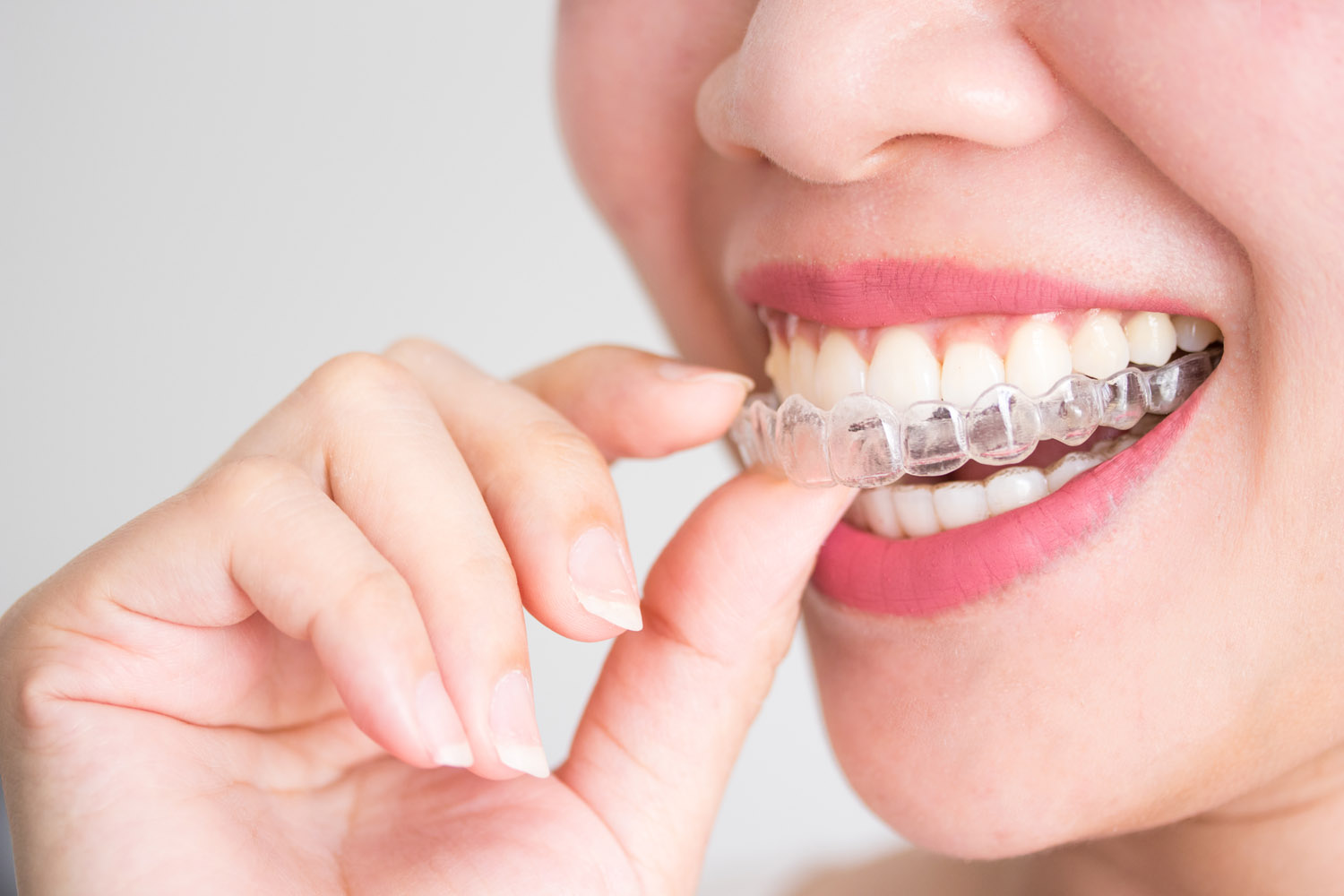
Clear aligner progress photos in Houston should document fit, tracking, attachments, occlusion, and visible tooth-position changes in a repeatable sequence. Unlike braces photography, aligner cases add a removable appliance whose seating and tracking can be visually compared over time. Standardized images support clinical review, patient communication, and more consistent records.
Why Are Clear Aligner Progress Photos Different from Braces Photography?
Braces remain fixed to the teeth, so progress images typically document bracket position, arch development, occlusion, hygiene, and treatment changes with the appliance in place. Clear aligners are removable, so the photo workflow can include both appliance-free views and views showing how an aligner seats against teeth and attachments.
That difference makes consistency especially important. If one visit is photographed with aligners in and another without them, or if angles and magnification change, comparisons become less useful. OrthoPhoto is designed to capture clinical orthodontic photos in a consistent sequence and assign them to the correct patient record.
What Should an Aligner Progress Photo Series Capture?
An orthodontic progress photo series should be selected by the treating clinician for the clinical question at hand. Common intraoral views include frontal, right buccal, left buccal, maxillary occlusal, and mandibular occlusal images. Aligner cases may add targeted views of seating, attachments, or areas where tracking is uncertain.
| Photo View | What It Can Help Document |
|---|---|
| Frontal intraoral | Midlines, overbite, visible alignment |
| Right/left buccal | Occlusion and posterior relationships |
| Upper/lower occlusal | Arch form and tooth positions |
| Aligner seated | Visible fit and potential tracking gaps |
| Targeted close-up | Attachments or a specific concern |
The table is not a substitute for a practice protocol. Its value is showing how each image should answer a defined documentation question rather than simply adding more photos.
How Can Invisalign Progress Photos Support Tracking?
Invisalign progress photos and other clear-aligner images can help a clinician compare what is visible in the mouth with the intended stage of treatment. Research on remote dental monitoring shows that photo-based monitoring can reduce in-office visits in some clear-aligner workflows, although it does not replace professional judgment or guarantee predicted tooth movement.
Photos are most useful when the same views, lighting, framing, and sequence are repeated. OrthoPhoto’s clinical photo template is built around consistent sequencing and patient-file organization, helping teams reduce the administrative friction around repeated documentation.
When Are Extra Aligner Photos Worth Adding?
Extra images are most useful when they answer a specific clinical question rather than simply increasing the record. A practice may add a close-up when an attachment is difficult to see, an aligner does not appear fully seated, or one area needs closer comparison. Supplemental views should stay tied to the same patient and treatment stage as the standard series.
How Should Practices Handle Patient Privacy?
Clinical photographs are patient information. The American Dental Association notes that practices generally need valid authorization before using or disclosing patient information for marketing purposes, and it advises written releases before identifiable patient photos are posted publicly.
Keep clinical documentation and marketing permission as separate decisions. A photo taken for treatment records should not automatically become a social post. Practices should follow HIPAA, applicable state law, their own privacy policies, and legal guidance when needed.
What Makes a Repeatable Photo Workflow Easier for Staff?
A repeatable workflow defines the required views, sequence, device setup, patient positioning, file naming, and storage location. That consistency reduces the chance that one team member captures a different series from another.
Explore OrthoPhoto’s app features to see how patient files, photo sequencing, and exports are organized, or contact OrthoPhoto with workflow questions.
What Is the Practical Takeaway for Aligner Cases?
Clear aligner photography works best when every image has a purpose. Photograph the views needed to evaluate progress, repeat them consistently, and add aligner-seating images when fit or tracking is the question. The result is a cleaner visual timeline for the clinical team and a more understandable record for patient conversations.
Take Your Next Steps with OrthoPhoto
OrthoPhoto helps practices keep those records organized without turning photography into a separate after-hours filing task. Review the OrthoPhoto benefits and decide how a standardized photo workflow can fit your aligner protocol.
Frequently Asked Questions
Why are clear aligner progress photos different from braces photography?
Braces remain fixed to the teeth, so progress images typically document bracket position, arch development, occlusion, hygiene, and treatment changes with the appliance in place. Clear aligners are removable, so the photo workflow can include both appliance-free views and views showing how an aligner seats against teeth and attachments.
How can Invisalign progress photos support tracking?
Invisalign progress photos and other clear-aligner images can help a clinician compare what is visible in the mouth with the intended stage of treatment. Research on remote dental monitoring shows that photo-based monitoring can reduce in-office visits in some clear-aligner workflows.
How should practices handle patient privacy with clinical photos?
Clinical photographs are patient information. Practices generally need valid authorization before using or disclosing patient information for marketing purposes, and written releases are recommended before identifiable patient photos are posted publicly.
What makes a repeatable photo workflow easier for staff?
A repeatable workflow defines the required views, sequence, device setup, patient positioning, file naming, and storage location. That consistency reduces the chance that one team member captures a different series from another.
Sources
OrthoPhoto App — product workflow information. https://www.orthophotoapp.com/
American Journal of Orthodontics and Dentofacial Orthopedics — clear aligner treatment with and without Dental Monitoring. https://www.sciencedirect.com/science/article/pii/S0889540620308301
American Dental Association — HIPAA 20 Questions. https://www.ada.org/resources/practice/legal-and-regulatory/hipaa/hipaa-20-questions
American Dental Association — Patient Privacy / Social Media. https://www.ada.org/resources/practice/practice-management/07_legalethical_patientprivacysocialmedia
